What Was Wrong With v1
check the old version here: WhatsApp expense automation
v1 was an “all-in-one” service: WhatsApp session management, message parsing, OCR/AI calls, and Google Sheets writes lived in a single Node runtime. That meant:
- Chromium as a hard dependency (fragile, slow to start, high RAM usage).
- Single point of failure (one crash takes everything down).
- Tight coupling between WhatsApp ingestion and business logic.
- Operational friction for updates, restarts, and debugging.
What Changed In v2
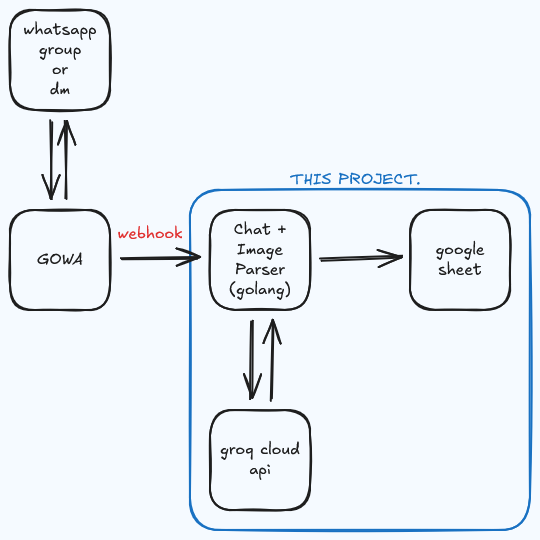
v2 separates responsibilities:
- GoWA (connector): maintains WhatsApp connectivity and emits events.
- Go listener + parser (this project): receives webhooks, evaluates conditions, parses chat/media, and syncs to Google Sheets.
- Webhook contract: both services communicate via HTTP webhooks (inbound events + outbound actions/acks).
This keeps the WhatsApp transport layer and the business logic independent, making the whole pipeline easier to maintain.
Key Improvements
- No browser automation: removes Puppeteer/Headless Chrome from the runtime entirely.
- Lean resource profile: better fit for always-on deployment in a home lab.
- Clear boundaries: connector vs. app logic, with webhooks as the interface.
- Safer execution: the listener only runs when conditions match (e.g., allowed chats, commands, or message types).
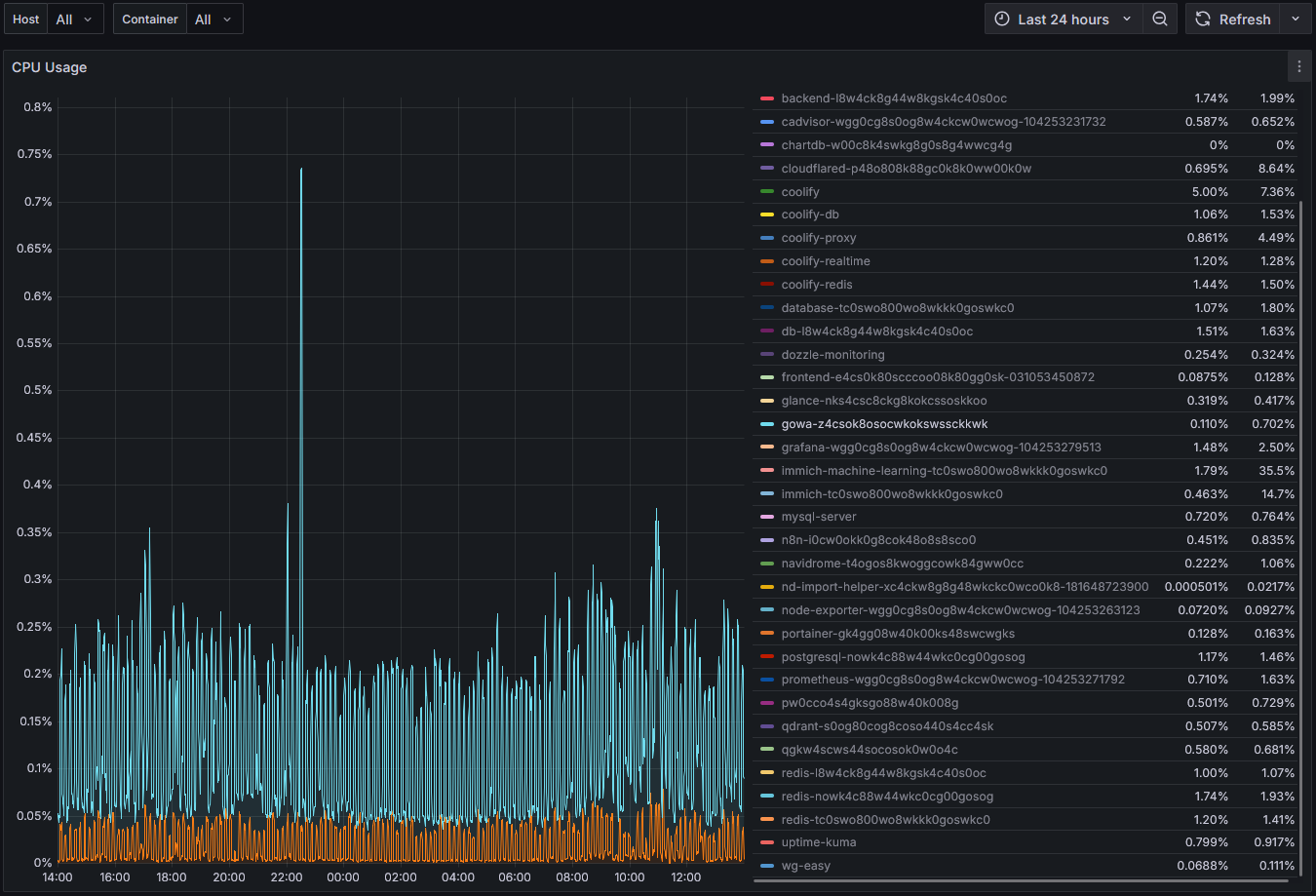
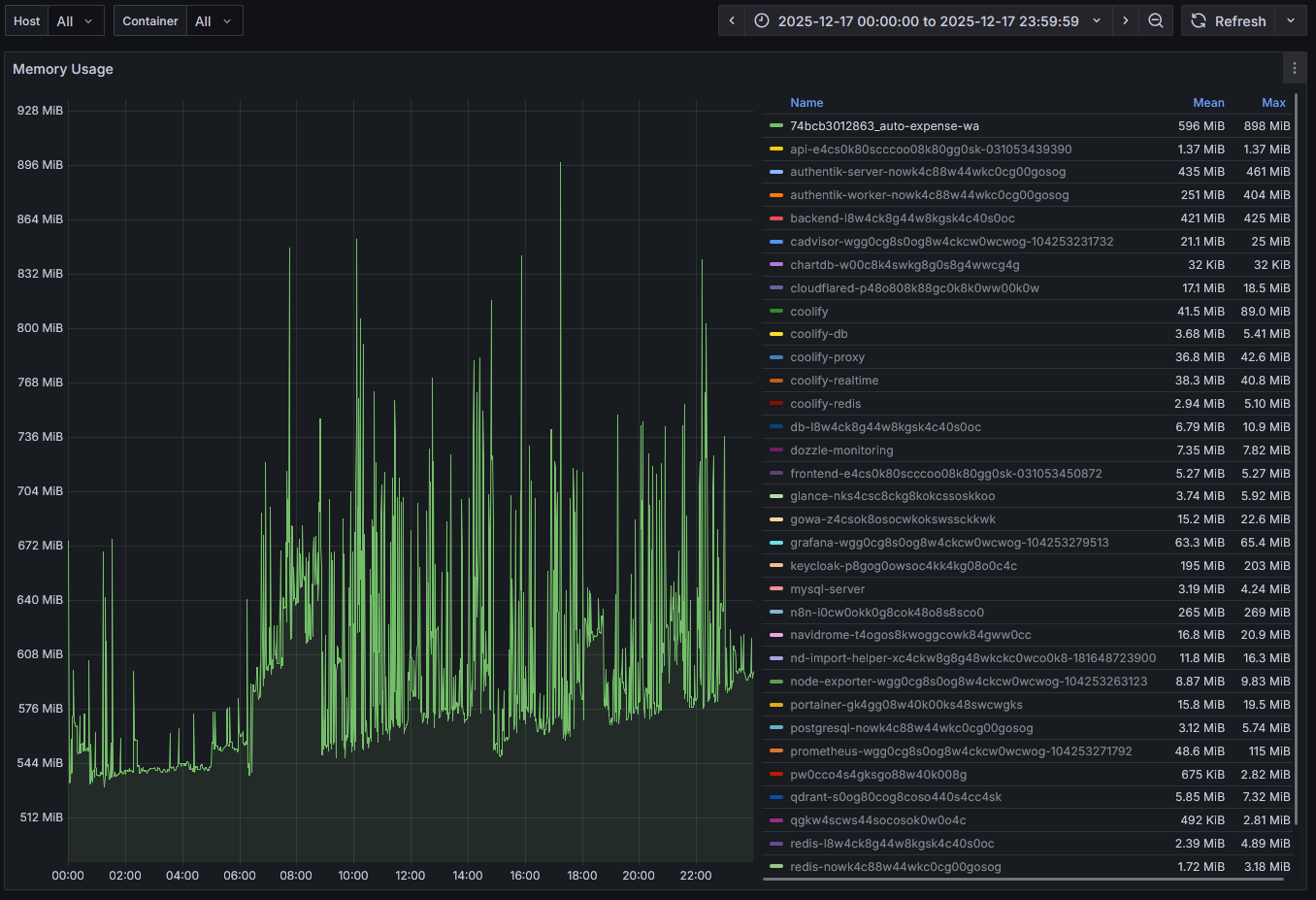
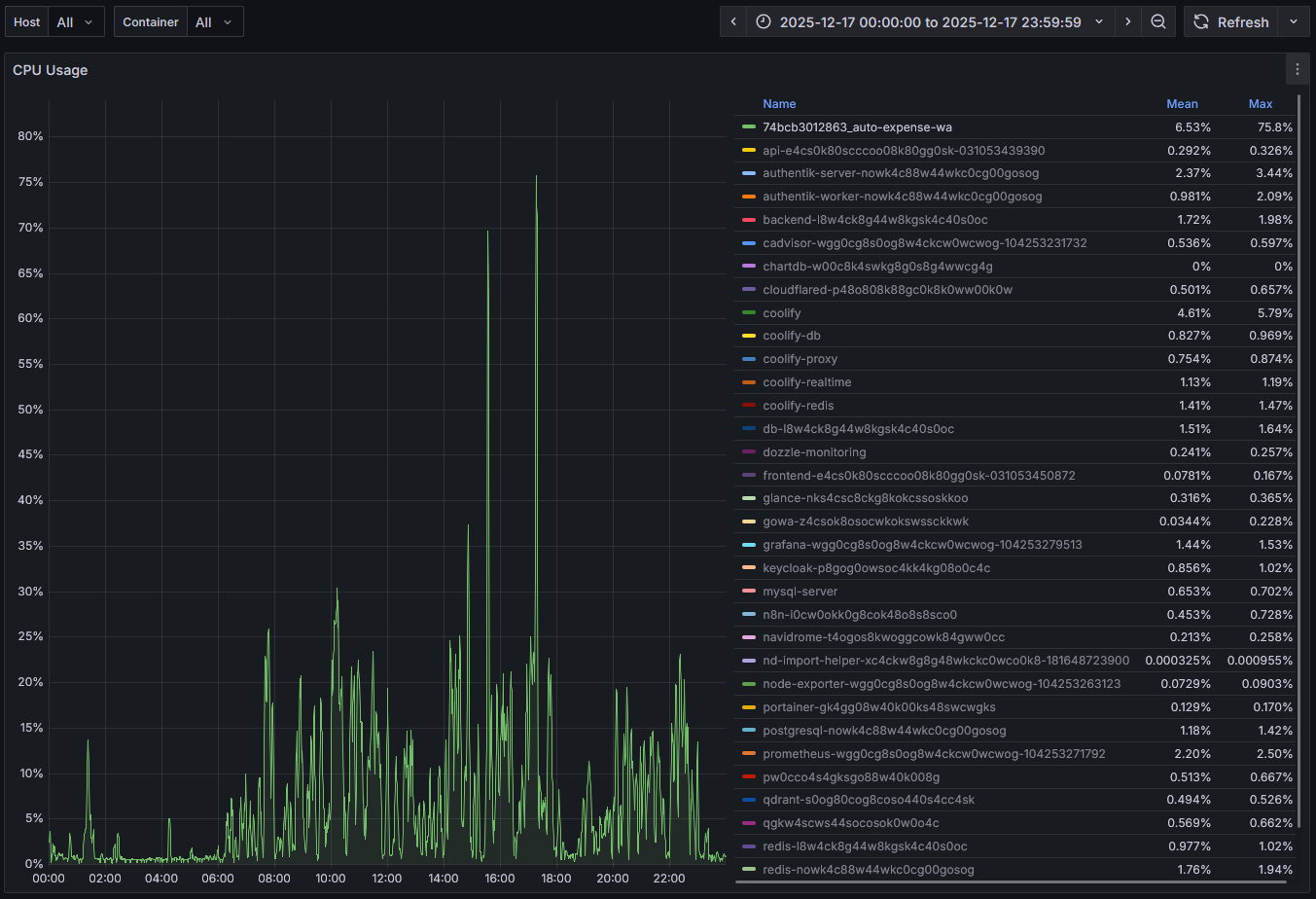
Runtime Impact (Real Observability)

Reflection
The biggest takeaway from this rewrite was that architecture is a feature. The user experience stays the same—“log expenses by chatting”—but the system behind it is now built to be run continuously, observed, and improved without fighting its own dependencies.